
Scenarios (Functional Testing)
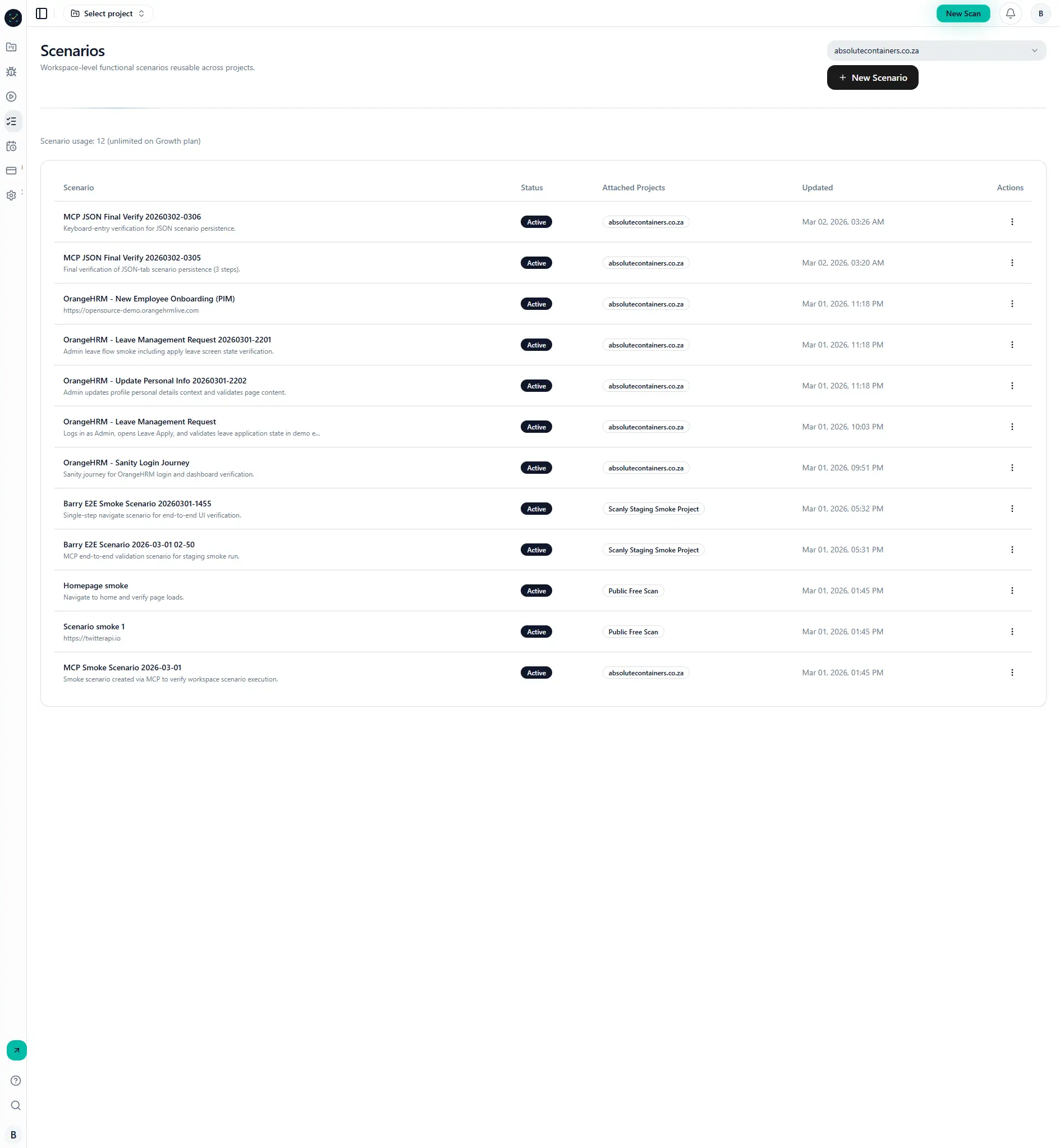
Scenarios define reusable user journeys that run in project context and produce pass/fail evidence per run.
Why it matters
Crawl checks detect broad site health, while scenarios validate business-critical flows.
Together they provide stronger release confidence.
Step-by-step
- Go to Dashboard -> Scenarios.
- Click New Scenario.
- Define steps using actions like
navigate,click,type, and assertions. - Attach scenarios to projects.
- In Run a Scan, enable functional scenarios in coverage mode.
- Open run details and inspect scenario results.
Visual reference
Common mistakes
- Using brittle selectors that change often.
- Running scenario-only without validating base URL and auth context.
- Forgetting to attach scenario to the intended project.