
Alerts & Notifications
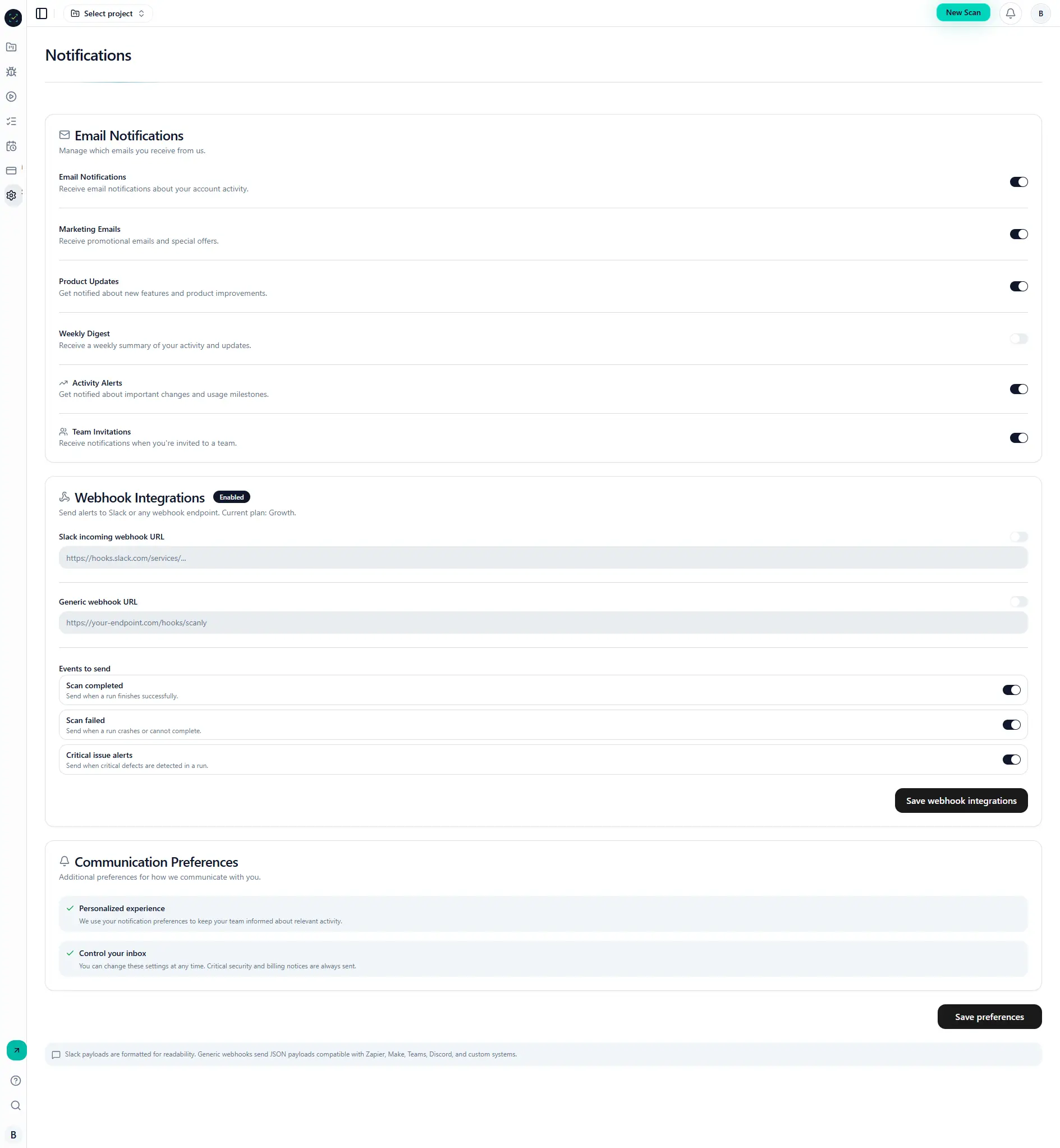
Send scan outcomes and critical findings to email and webhook destinations for faster response.
Why it matters
Detection without notification creates response delays.
Alerts ensure the right people receive the right signal at the right time.
Step-by-step
- Open Settings -> Notifications.
- Enable desired channels (email, Slack webhook, generic webhook).
- Select event types (
scan_completed,scan_failed,critical_issue_alert). - Trigger a real run and confirm delivery logs.
Visual reference
Common mistakes
- Registering webhook URLs without TLS/availability checks.
- Not validating event-type filters.
- Assuming delivery without checking logs.