
Plans, Trial, and Billing
Understand plan limits, trial behavior, upgrades, and invoice/payment workflows.
Why it matters
Feature availability and limits are plan-driven.
Clear billing visibility prevents unexpected workflow interruptions.
Step-by-step
- Open Dashboard -> Billing.
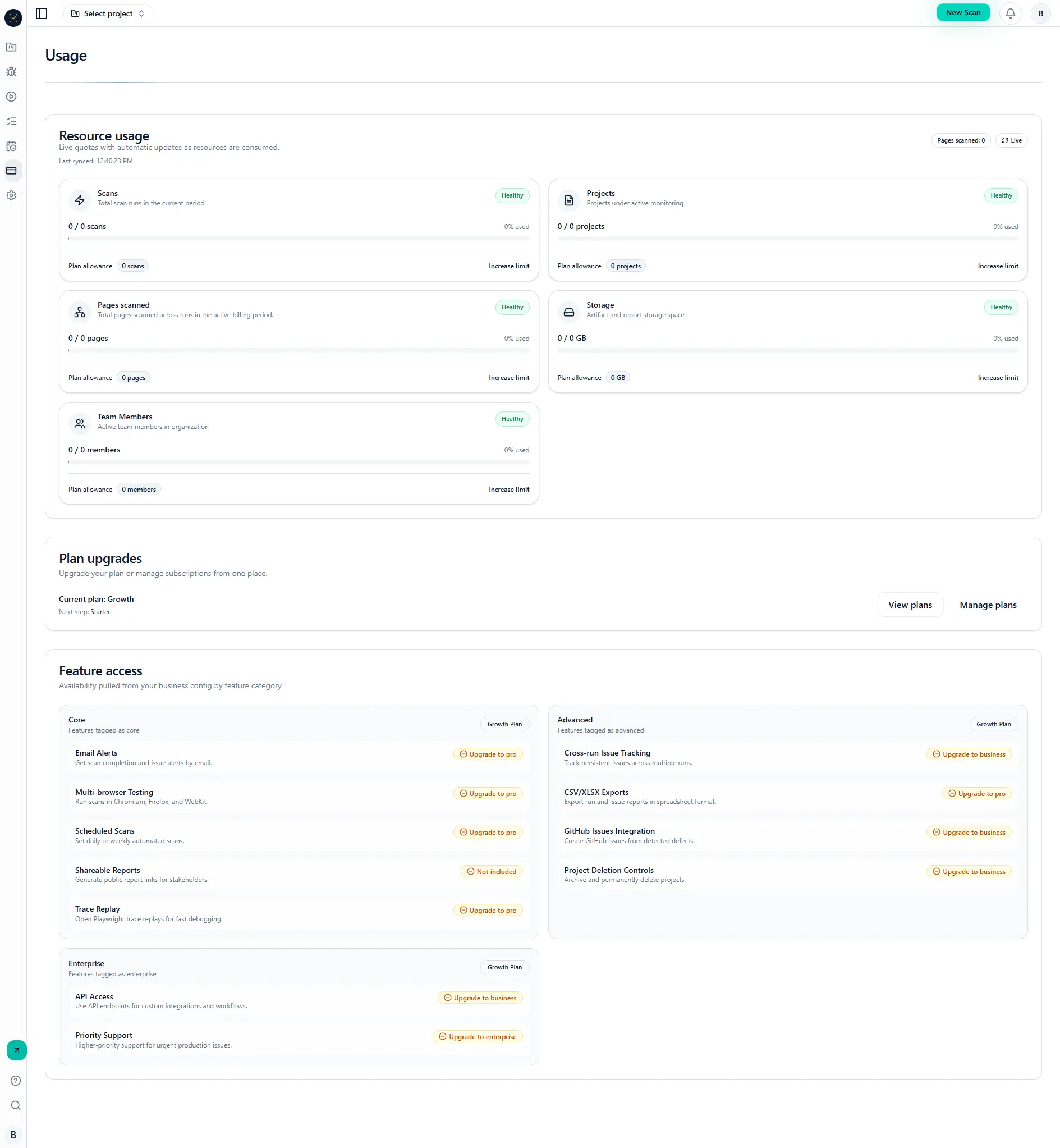
- Review current plan, usage, and limits.
- Upgrade or downgrade as required.
- Verify invoices and payment method settings.
Trial behavior
- Trial activates on first qualifying scan intent.
- Reminder notifications are sent during trial window.
- Expired trial downgrades gracefully with historical data retained.
Visual reference
Common mistakes
- Assuming trial is active before first scan execution.
- Exceeding plan limits without alerting configured.
- Not validating billing state after subscription changes.