
Issues & Severity
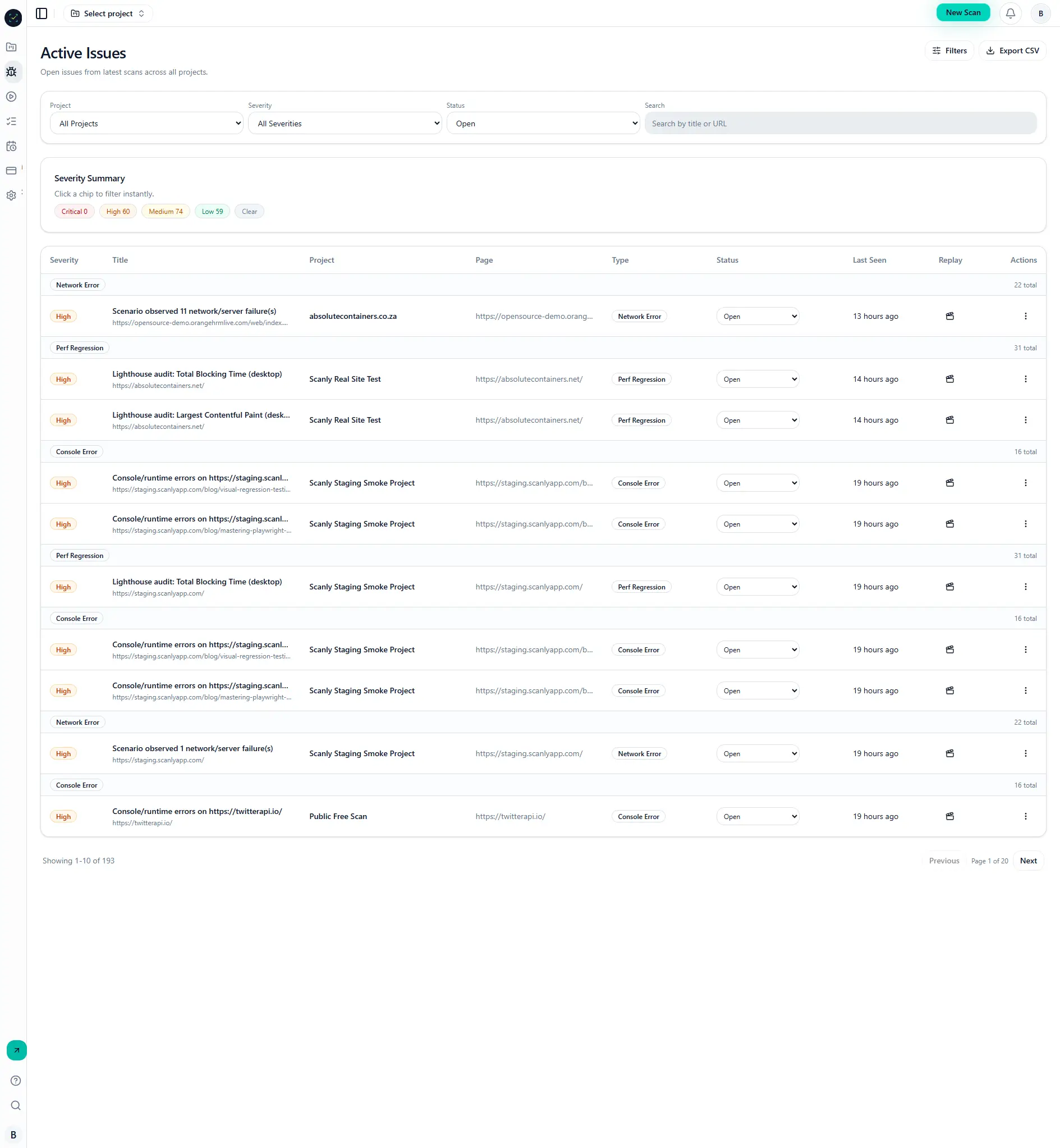
Issues aggregate defects detected in scans and scenarios, with severity, status workflow, and supporting evidence.
Why it matters
Issue workflow connects detection to resolution.
Consistent severity and status handling improves prioritization and communication.
Step-by-step
- Open Dashboard -> Issues or project issue view.
- Filter by severity, status, or run.
- Expand rows to inspect evidence and context.
- Update status (
open,triaged,resolved, etc.). - Share report links with engineering stakeholders.
Visual reference
Common mistakes
- Treating all issue types with the same urgency.
- Closing issues without retest verification.
- Ignoring repeated fingerprints across runs.